
Start with what you imagine.
A sensor board. A connected device. A first experiment. Put the idea into words and start from there.
CONVERSATIONAL PCB DESIGN WORKSPACE
Synth turns a plain-language idea into a reviewable PCB design. Explore the schematic, 3D board, parts, and checks before you hand it off to KiCad.
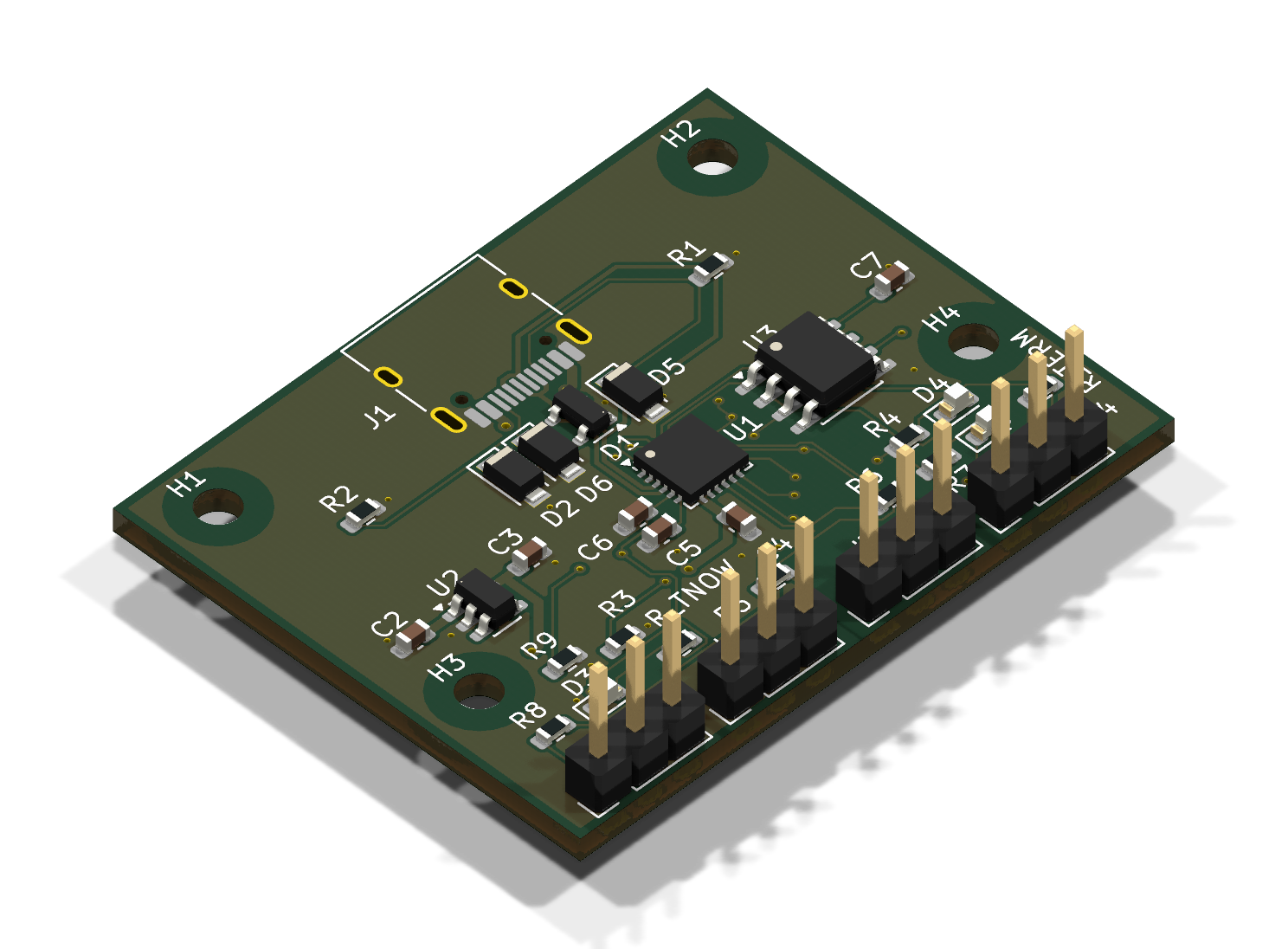
One USB-C cable. Two serial ports.
Overall size 40.99 × 32.23 mm · Layers 2 · Nets routed 26 of 26 · KiCad DRC 0 errors, 0 warnings
Engineering draft. Not fabricated. Not tested on hardware. Reviewed by Steve Munene.
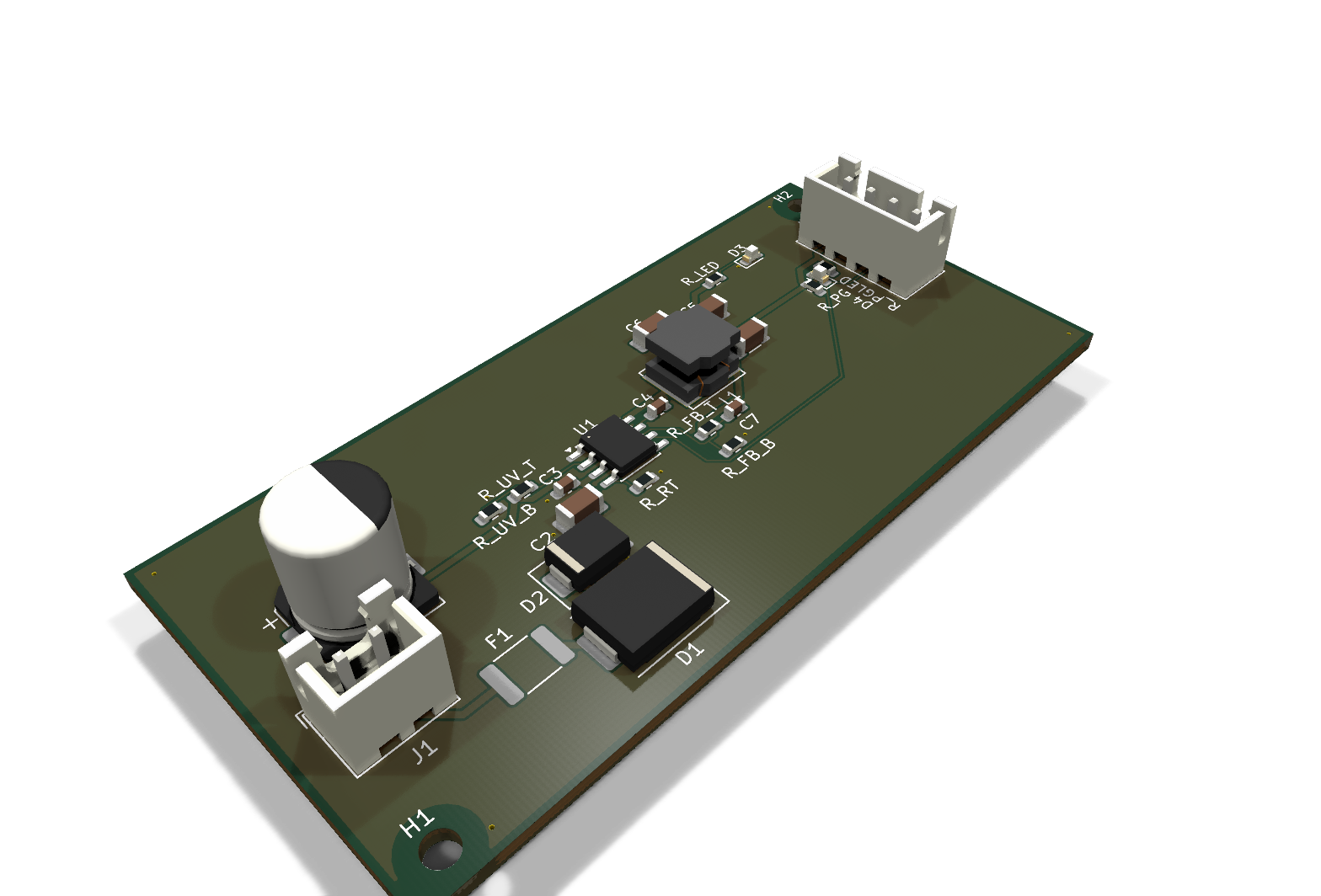
24 V in. 3.3 V out. Power-good on the header.
Overall size 70.99 × 33.99 mm · Layers 4 · Nets routed 13 of 13 · KiCad DRC 0 errors, 0 warnings
Engineering draft. Not fabricated. Not tested on hardware. Reviewed by Steve Munene.
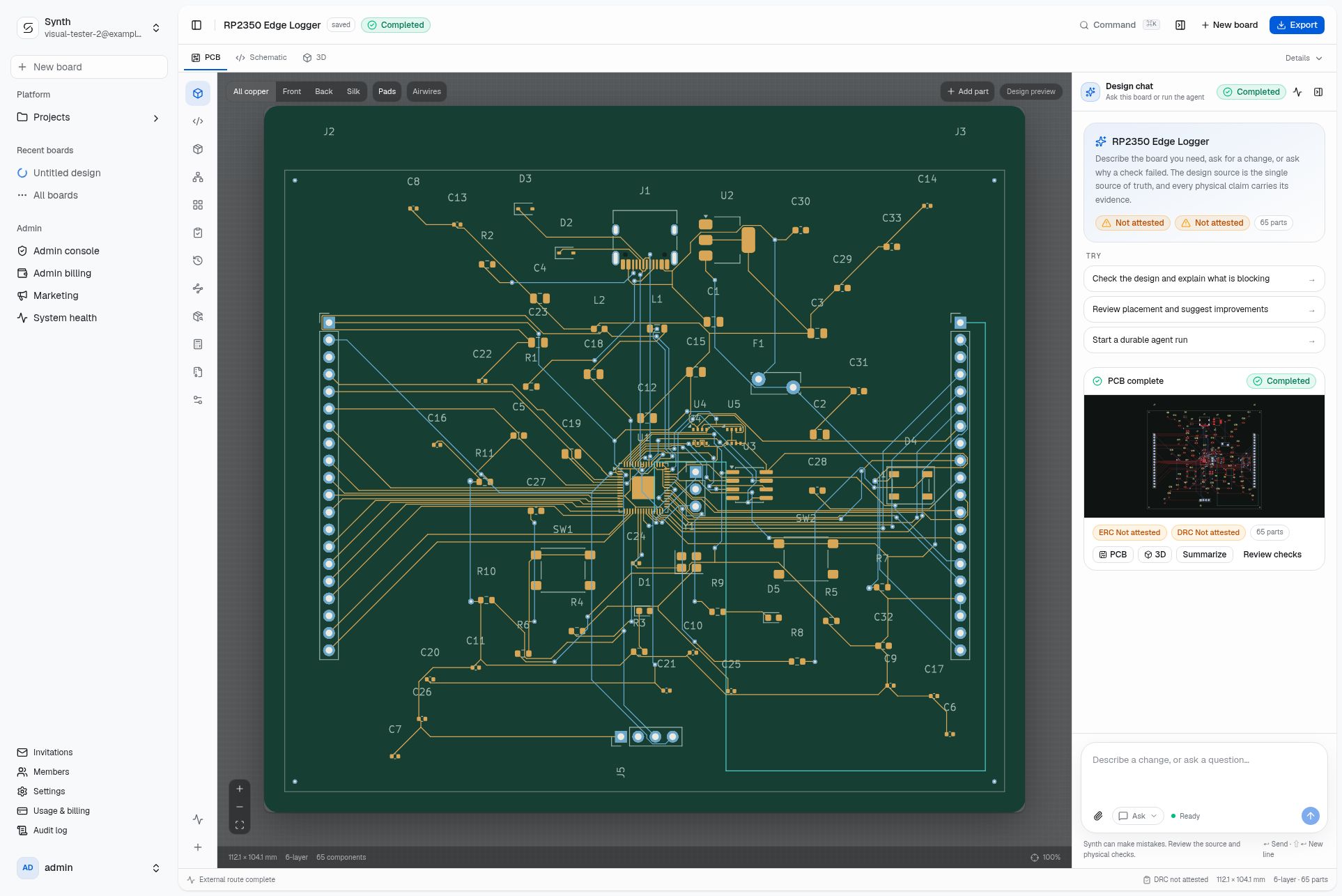
Open a populated RP2350 Edge Logger workspace, inspect the routed layout, and keep the design chat beside the board.
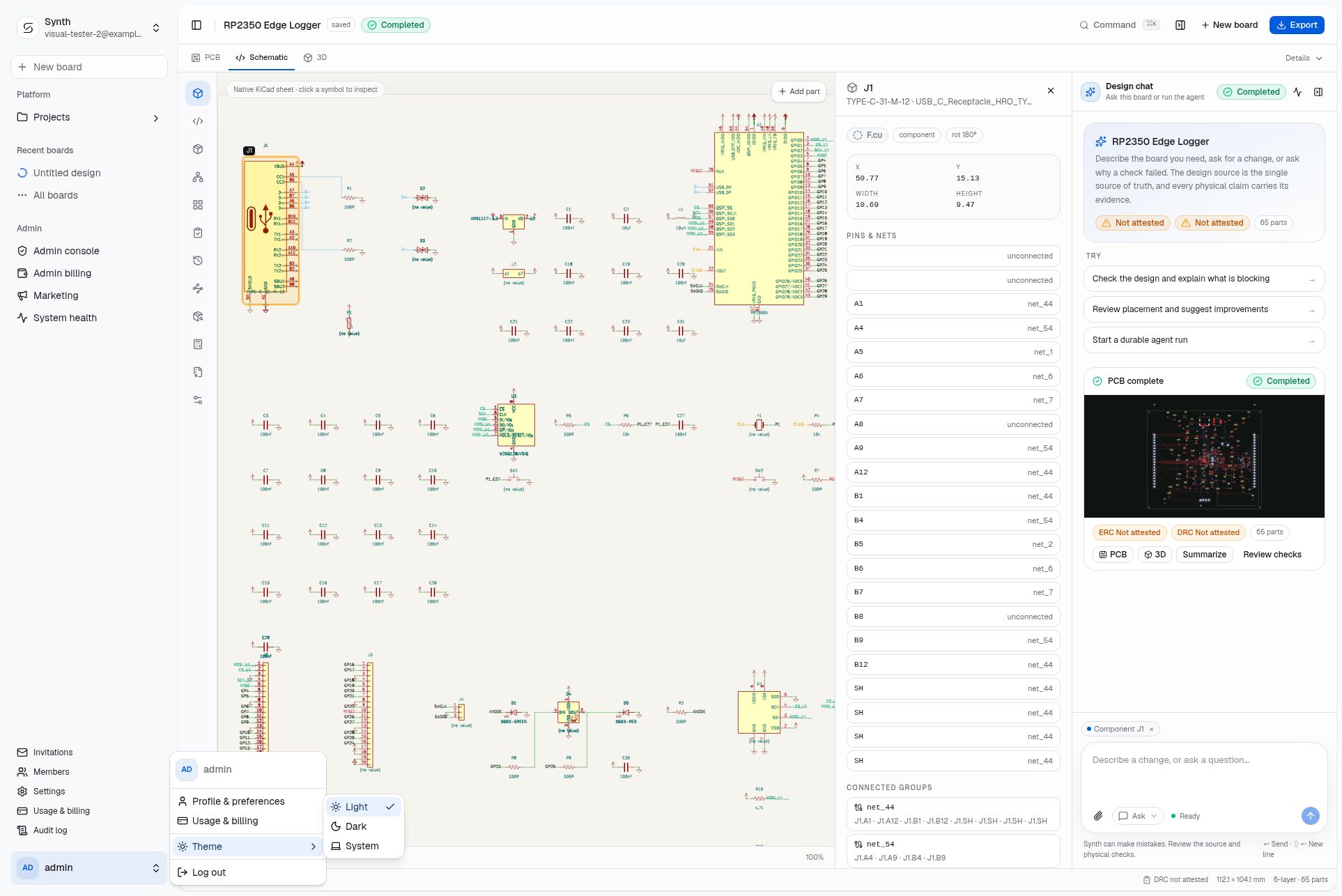
Switch to the native KiCad schematic, inspect symbols and nets, and keep the same board context in view.
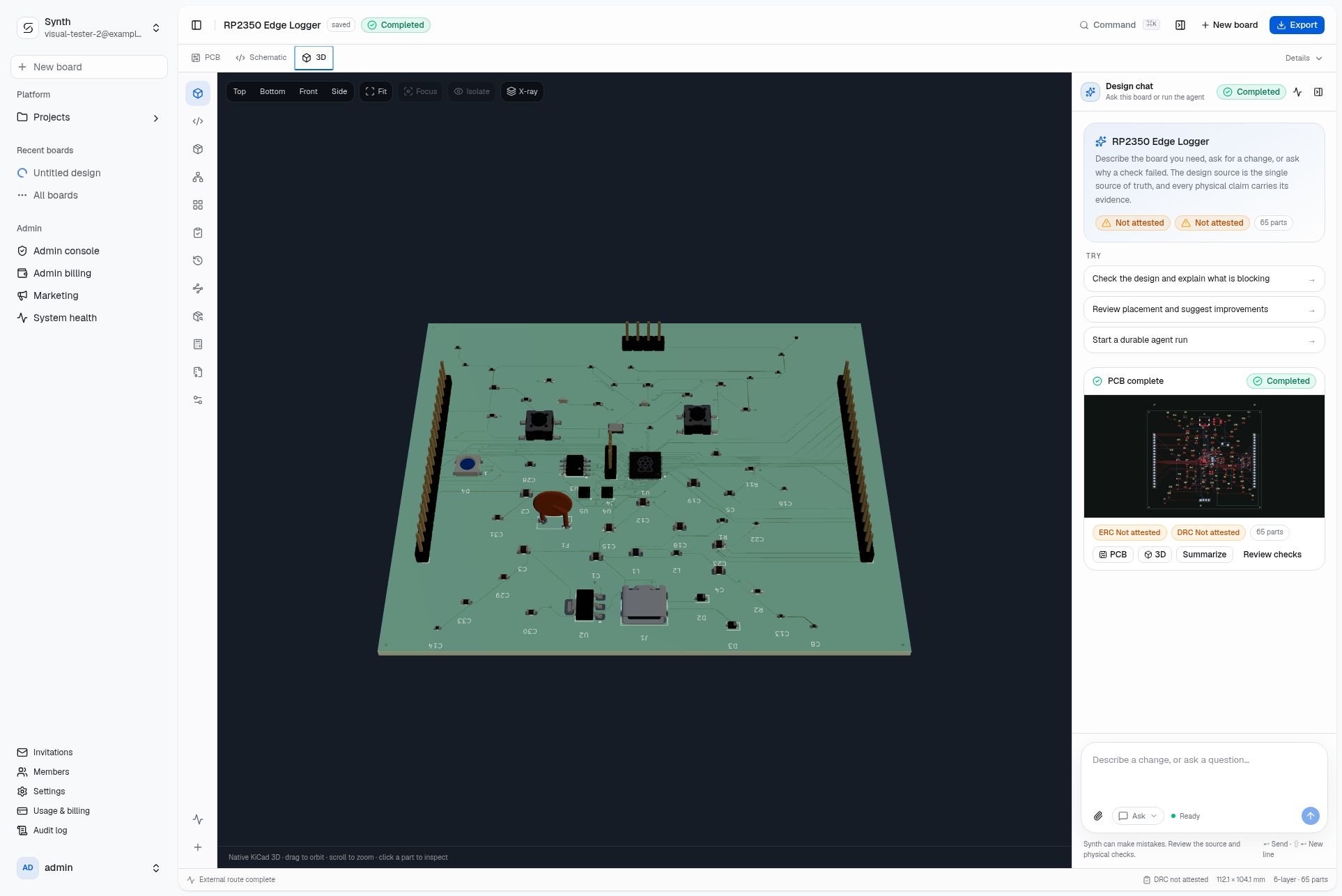
Orbit the native 3D board, change the camera, and inspect the physical result before you export.
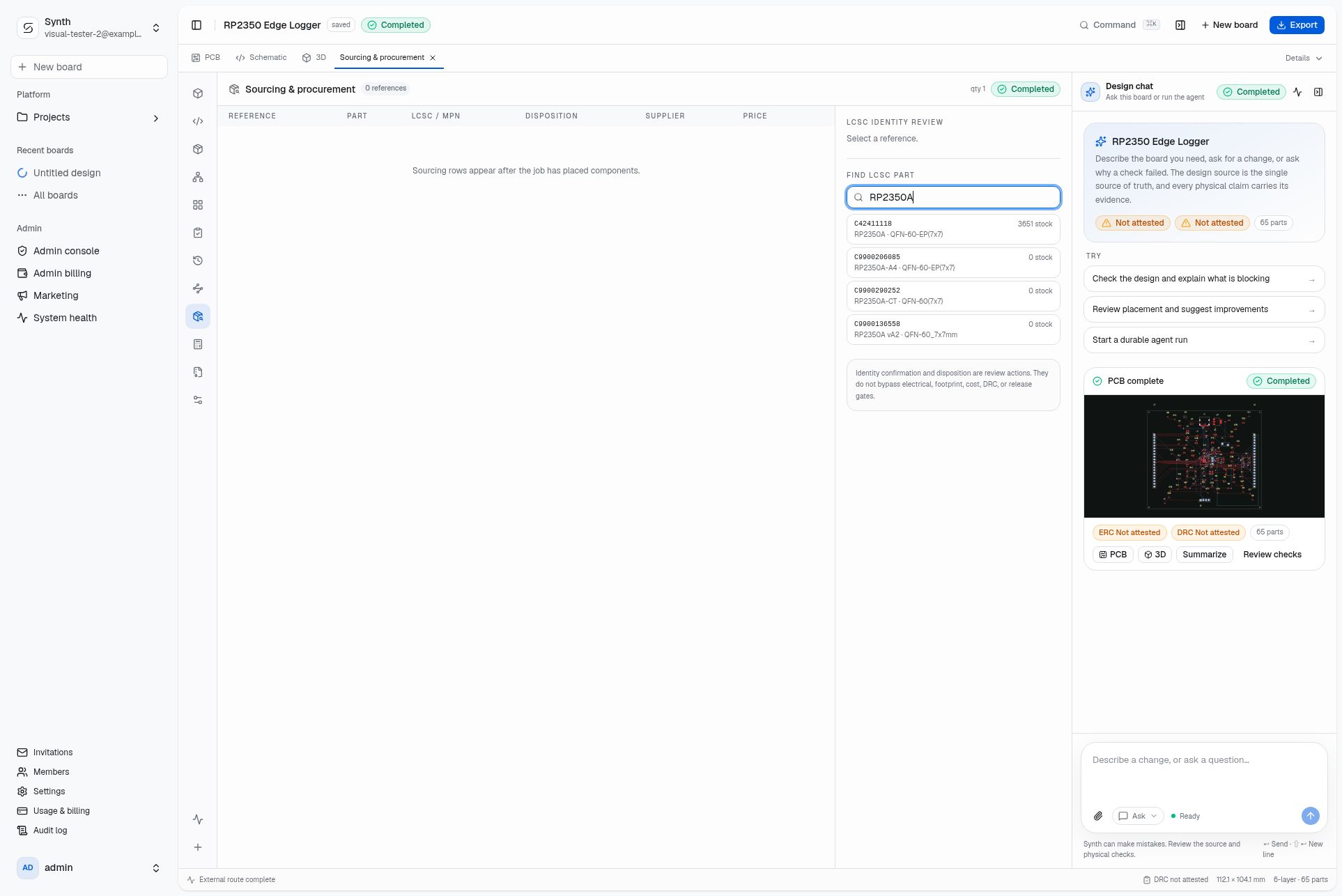
Search the JLCPCB catalog by MPN, compare LCSC matches and stock, and keep sourcing decisions attached to the board.
Screenshots from the live Synth application.
Request access to build your ownA sensor board. A connected device. A first experiment. Put the idea into words and start from there.
Ask questions, describe changes, and explore the board. The canvas and chat stay close together.
Check diagnostics, approve the design, and export KiCad schematics, layouts, and a BOM for manufacturing.
SIMPLE TO START. ROOM TO GO DEEPER.
Keep the board and your conversation in view. Source, parts, connections, checks, and versions open in their own tabs when you want to look closer.
On a smaller screen, switch between Board and Chat. Your idea stays in the same conversation.
Request beta accessOpen the circuit source when you want to look closer. Edit a draft, import a .synth file, or take the source with you.
Explore the reference BOM, inspect component pins, and bring a part into the conversation when you have a question.
Give the design its boundaries: board size, layers, placement requests, and routing preferences, all within reach.
Inspect what has been checked, see what is still unknown, and return to an earlier snapshot as you explore.
All of these tools are available in the live Synth app.
OPEN ENGINEERING UNDERNEATH
The conversational experience builds on Synth’s open compiler and agent tools. The engineering is there to inspect, run, and make your own.
Parts, connections, and constraints live in .synth files. Inspect a design, review a diff, or keep it in Git.
Explore the examplesThe compiler reports structured diagnostics that an engineer or agent can act on. Missing evidence stays visible.
Meet the compilerThe compiler exports native schematics, PCB layouts, and BOMs for inspection and downstream work.
Explore KiCad outputTell us what you are building. We will review your request and send an invitation when your workspace is ready.
Request beta accessRun the compiler locally, connect your own MCP-compatible agent, and work directly with circuit source. Apache-2.0.
Use the open compiler Explore the source on GitHubBuilding with a team? Talk to us about managed Synth and engineering support.
Let’s talkA CLEAR PATH TO PRODUCTION
Synth helps teams move from an idea to a reviewable electronics design. The managed app is the fastest way in; the open compiler keeps the work inspectable and portable.
Request access, then describe the device, work beside the canvas, and keep the conversation attached to the design as it develops.
Request beta accessReview source and diagnostics, then take native KiCad files and a BOM into the tools your team already trusts.
Read the engineering docsNo. Describe your board in plain language and the assistant turns it into a design proposal you can inspect and refine. Open Source, Parts, or Checks when you want engineering depth. The open-source compiler and MCP tools are a separate path for engineers who prefer a local, code-based workflow.
Open Synth to create a board from a description, work on the design through the assistant, switch between Schematic, Board, and 3D views, review diagnostics in Checks, and export KiCad files for manufacturing. The public site shows the workflow; the live app is where the work happens.
No. One conversation stays beside the design canvas, schematic, and 3D view. Drafts stay with that session. On mobile, Board and Chat switch between surfaces. Your work is saved to your Synth account across sessions.
Yes. The Synth compiler exports native KiCad schematics, PCB layouts, project files, and a BOM. Keep changes in the .synth source if you want them preserved on regeneration.
The Community compiler, CLI, MCP tools, and component registry are available under Apache-2.0. Run them locally, connect your own compatible agent, and inspect or extend the implementation. The managed Synth application builds on that foundation.
A board needs engineering review and passed checks on the exact design revision before fabrication. The Synth compiler produces structured diagnostics distinguishing passed, failed, and unavailable checks. Manufacturing export produces Gerbers and a BOM once the design is approved.
PRIVATE BETA
Tell us what you are working on. We are opening Synth gradually and will follow up when a workspace is a good fit.
A request is not an account or a promise of access. We only use your details to review the request and contact you about Synth.
Already have access? Open SynthFROM YOUR FIRST “WHAT IF”
A little idea is a good place to start.